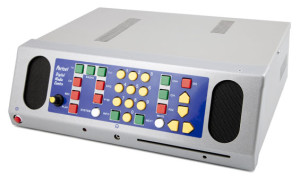
The Portset Digital Media Centre provides the Freeview digital television and radio channels in an accessible solution. Designed for the visually impaired it provides voiced guidance and feedback with high quality speech.
For the first time it is now possible for partially sighted and blind users to obtain the full benefits of the new digital television service.
The Digital Media Centre standalone system unit incorporates front facing stereo speakers, master volume control and contrasting key controls. Connection of a suitable external aerial is all that is needed to receive the digital service.
An integral CD/DVD drive allows playing of audio CD’s, MP3, Daisy format and audio books. Options provide for playing DVD’s with or without audio described material.
The Portset Digital Media Centre provides the following capabilities for Freeview programs:
- New User introduction audio instructions.
- Automatic tuning of all broadcast stations at installation.
- Finds and advises of new channels.
- Provides Audio Description of broadcasts.
- 7 Day program guide selectable by channel, day and time.
- 7 day listing of audio described programs.
- Now and next program information.
- Pause and resume any live broadcast.
- Record and playback of programs with internal Hard Drive* approximately 100hrs**.
- Selection of channels by their spoken name or by their channel number.
- Independent volume control of broadcast audio, audio description and speech system for each channel.
- Identification of encrypted channels and off-air broadcasts.
- Separation of Television and Radio broadcasts.
- CD audio and MP3 together with Daisy format players.
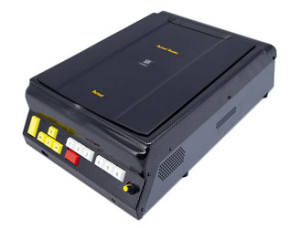
The Portset Digital Media Centre measures 37cm wide, 10cm high and 27cm deep. The front panel incorporates a user control key unit, dual speakers, rotary master volume control, CD slot player, personal headphone connector and power on switch. The rear panel has aerial in, audio phono output and a power connector.
The CD player will play audio music CD’s, MP3, Daisy format talking books products and audio books. Book-marking of Daisy books is automatically provided and offered to the user at the next reading.
As with all of Portset’s assessable products they will be up-datable either by the supply of a special up-date CD or for hardware options our collect and return service.
These models do not provide video output and as such are license free.
** Recording capacity variable by channel and program content.
Portset reserves the right to change the Digital Media Centre specification at any time without notice.
Downloads: